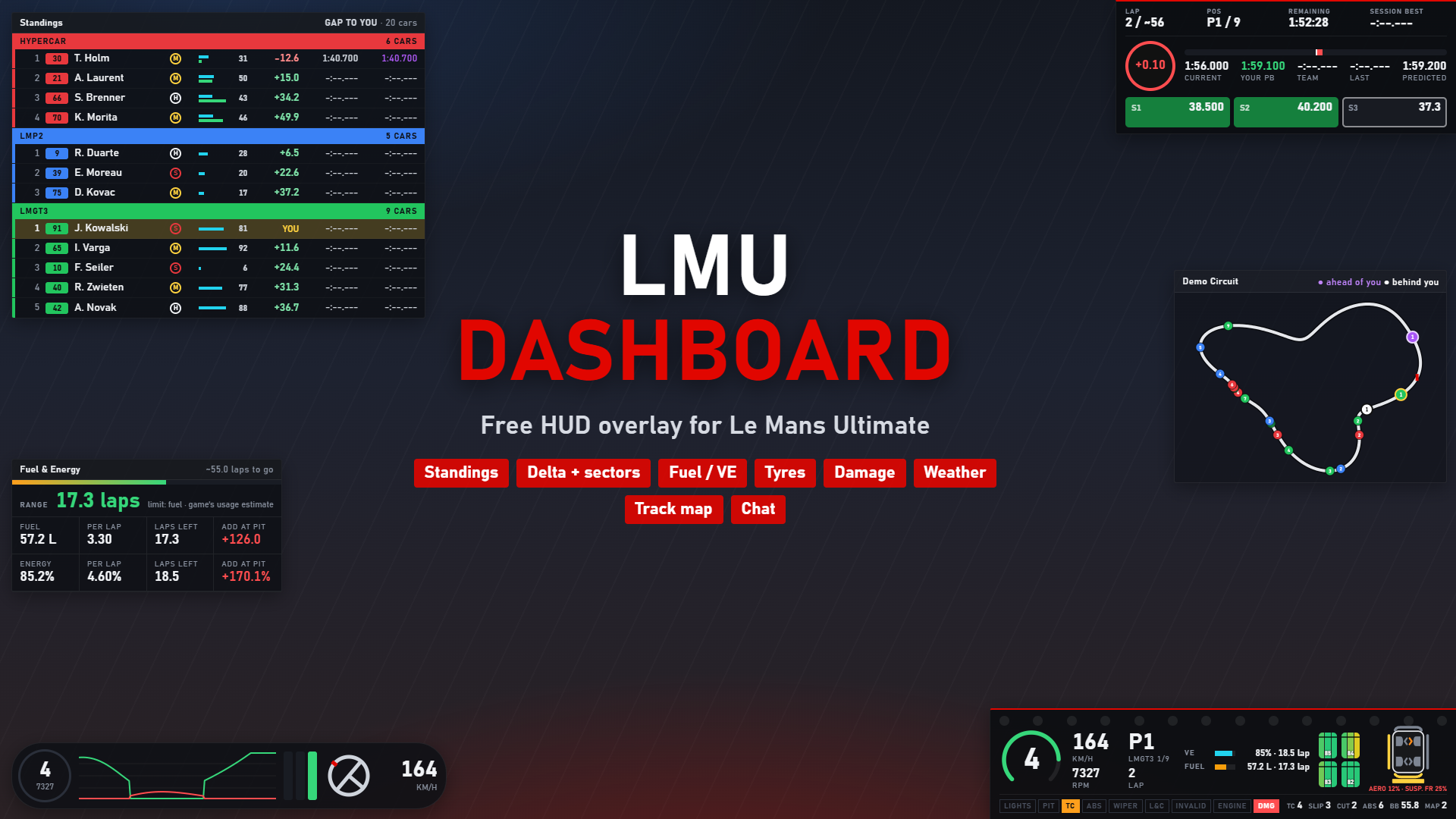
All the data you need in a race – without paid plugins. LMU Dashboard is a transparent overlay for Le Mans Ultimate: it reads data straight from the game and draws it on top of the picture, while your clicks go through to the game.
 Available for Windows 🏁100% free
✨ What you get
- 🏆 Standings – classes separately, live gaps to the cars ahead and behind, gap to the leader every minute
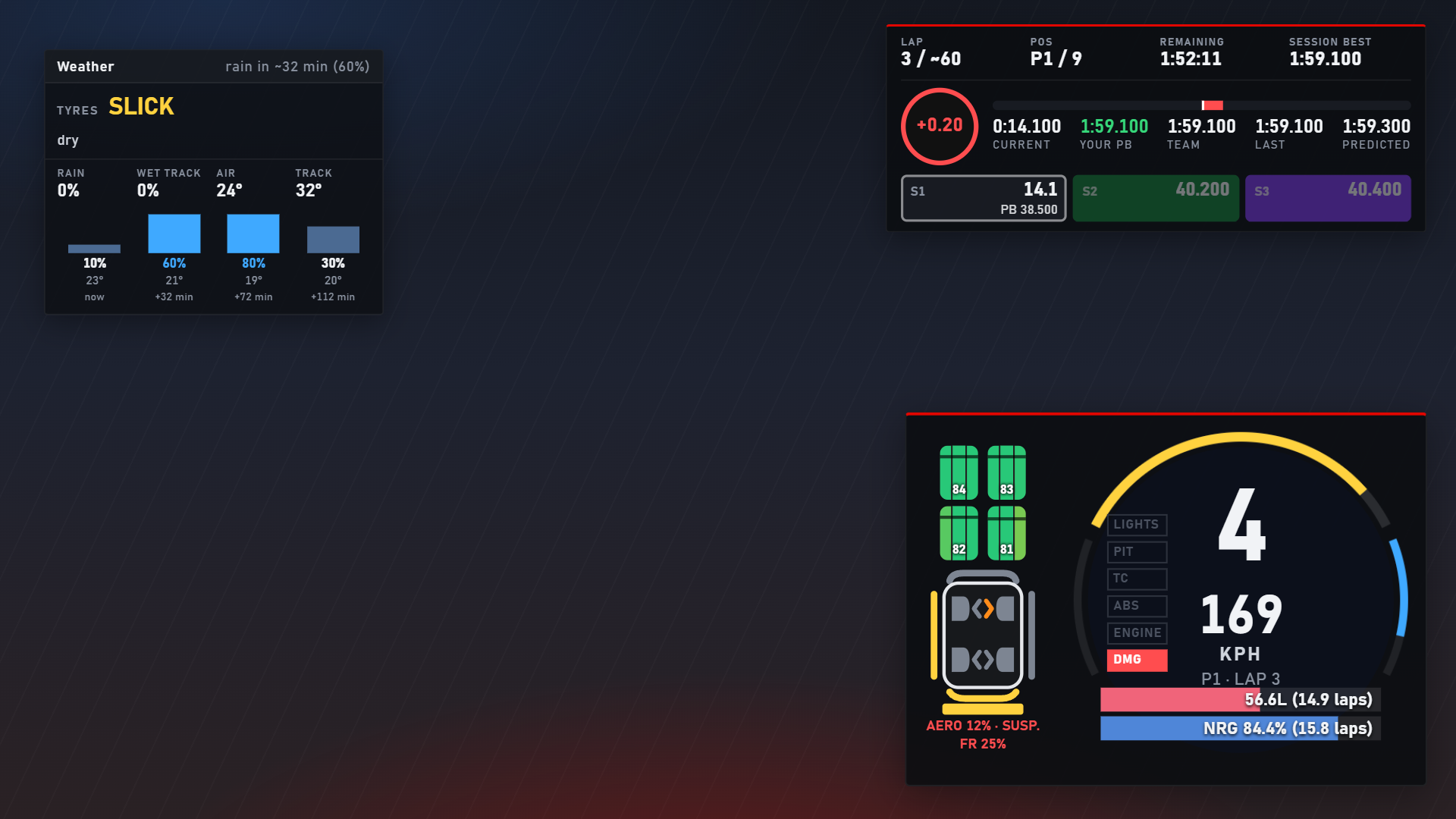
- ⏱️ Delta to your PB – your personal best on the track, sectors in purple / green / yellow
- ⛽ Fuel and VE – how many laps you have left and how much to add to the finish
- 🛞 Tyres – colours from cold to overheated, wear in %
- 💥 Damage – bodywork, suspension, wheels and rear wing
- 🌧️ Weather – rain forecast and a tip: slicks or wets
- 🗺️ Track map – draws itself, the car ahead of you is purple, the one behind is white
- 💬 In-game chat – visible even with the LMU interface turned off
- 🎛️ Two dashes – rectangular or round LMU-style, with warning lights and shift lights
- 🌍 English and Polish – picks your Windows language, switch it any time
🏎️ Standings, track map and Relative
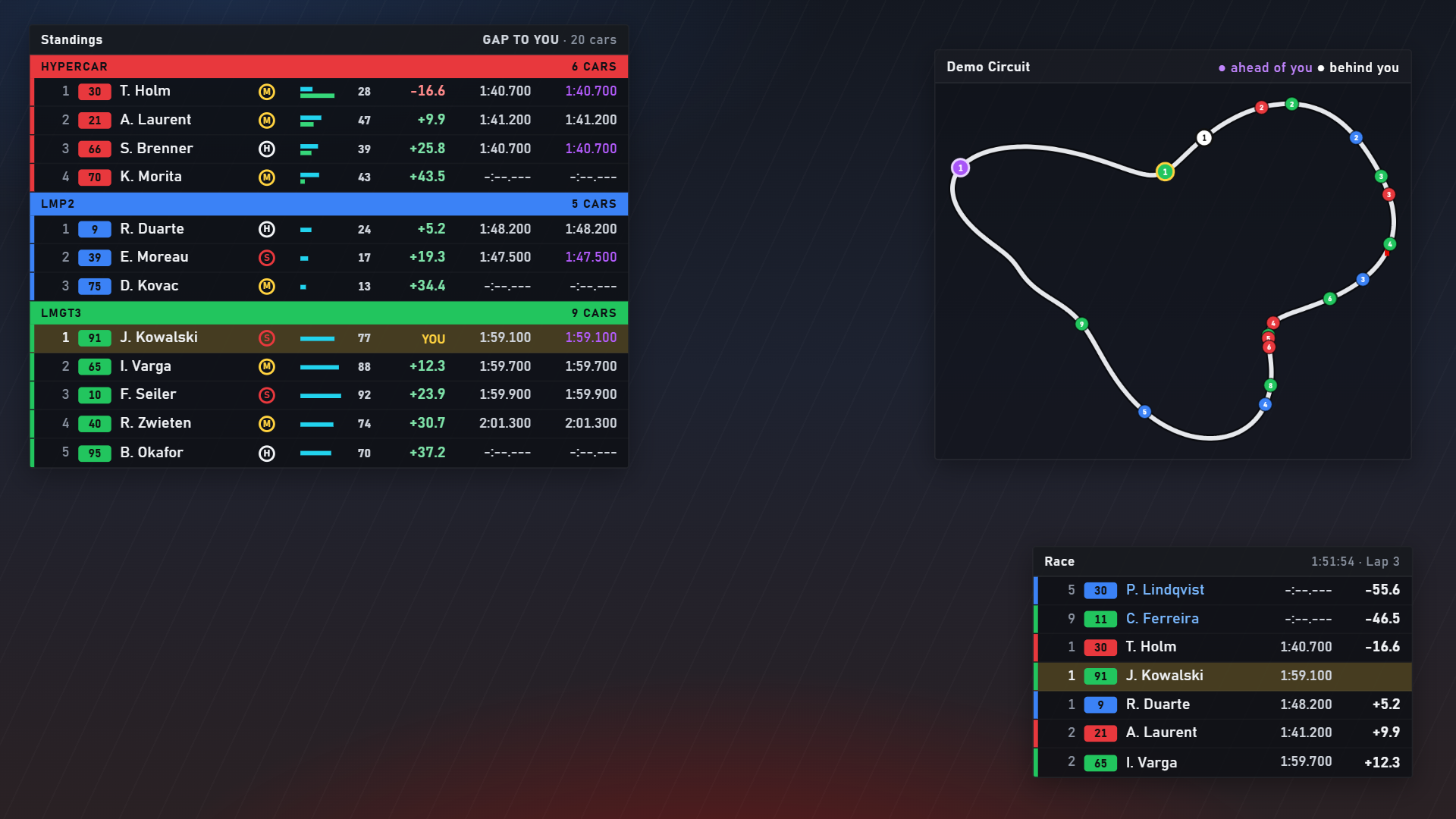
A green +1.8 is your lead over the car behind, a red -2.3 is the gap to the car ahead. The gap is calculated live from the cars' positions on track, so you see right away where you are losing time.
⛽ Fuel, chat and dashboard
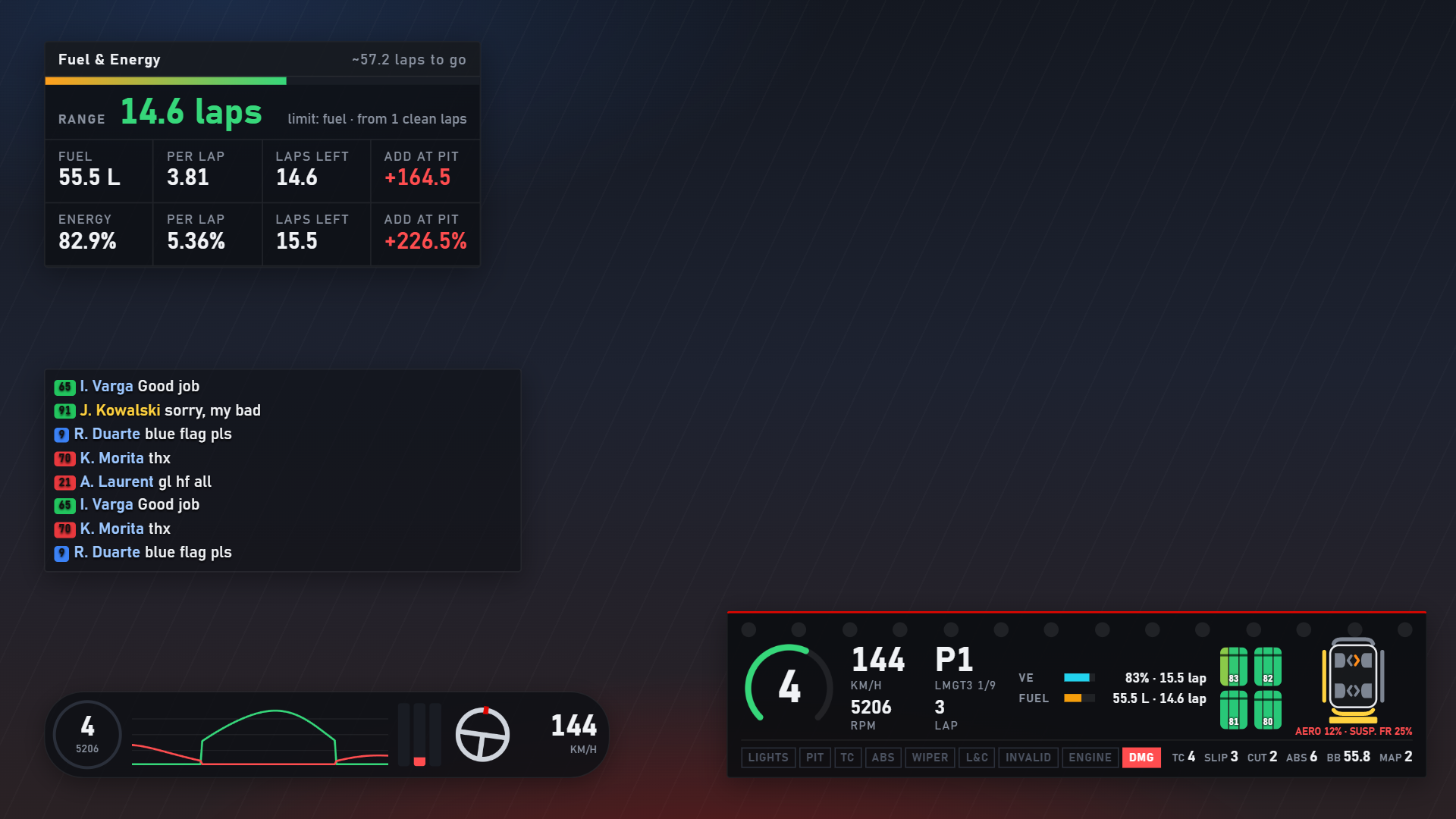
Until you complete a clean lap, the overlay uses the fuel usage calculated by the game itself. After that it uses your last clean laps (no pit stop, refuelling or yellow flag) and takes the higher usage – so you never run out of fuel in a race. Every lap is saved to a file in the logs folder.
🎛️ Set everything up your way
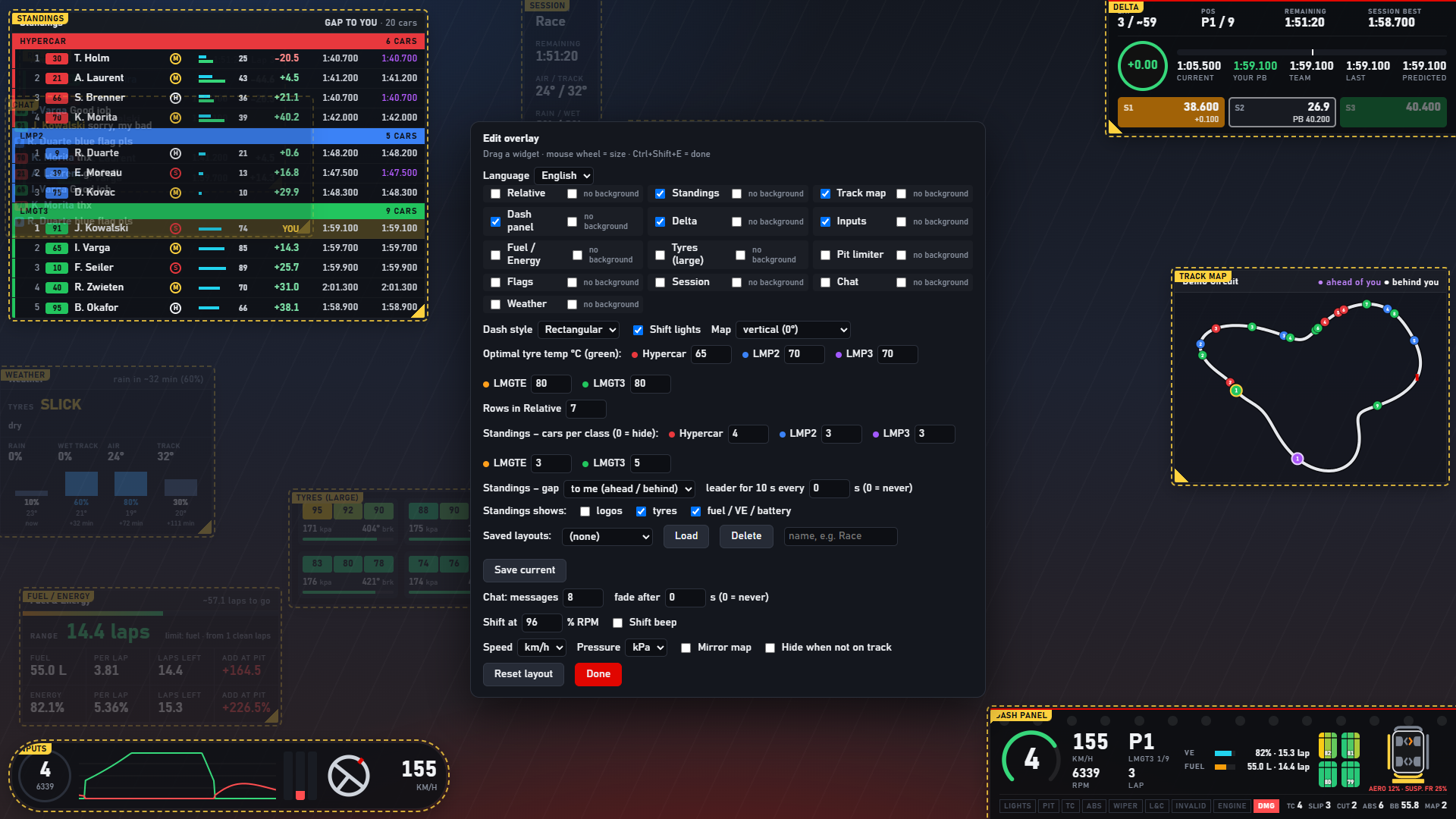
Press Ctrl + Shift + E and drag the widgets with your mouse, change the size with the mouse wheel and the width with the yellow corner. You can turn any widget off or show it without a background, rotate the map horizontally and save your layout as a profile (e.g. "Race", "Practice").
📦 Installation
- Download and unzip the whole
LMU Dashboardfolder (e.g. to your Desktop) – the_internalfolder must stay next to the.exefile. - In the game: Settings → Graphics → display mode Borderless (the overlay is not visible in Fullscreen).
- Run LMU Dashboard.exe – an "LM" icon appears next to the Windows clock. The widgets show up when you sit in the car.
DEMO.batstarts a simulated race – set up your widgets without starting the game.
If Windows shows "Windows protected your PC", click More info → Run anyway (the program has no paid digital signature).
⌨️ Shortcuts
| Shortcut | What it does |
|---|---|
| Ctrl + Shift + E | edit mode (the mouse does not reach the game then – click Done) |
| Ctrl + Shift + H | hide / show the overlay |
| Ctrl + Shift + Q | quit |
💻 Requirements
Show requirements
- Windows 10 or 11 (64-bit)
- Le Mans Ultimate (Steam) in Borderless mode
- about 300 MB of disk space
- no Python or anything else to install
The overlay only uses data the game itself provides on your computer (shared memory and the game's local API). On start it only checks whether a newer version is available on SpotPlace – it does not send any data about you.
🐛 Reporting issues
Something not working or a number looks wrong? Use the "Report bugs" button on this page. For fuel problems, attach the .csv file from the logs folder – it shows right away what went wrong.
🏁See you on track
LMU Dashboard 1.0.0 · unofficial fan project, not affiliated with Studio 397 or Motorsport Games. "Le Mans Ultimate" is a trademark of its owners. Car brand logos are loaded from your own game files – they are not included in the program.